You earned it. Now make it truly yours.
Withdrawing your sats from Lightning Faucet to a wallet you control is the first real step of self-custody. Here is how to do it, and how to keep your Bitcoin safe for the long run.
How to withdraw your sats
Moving your earned Bitcoin off the platform and into your own wallet takes about a minute.
Open your wallet
In Lightning Faucet, open the wallet menu and choose Withdraw.
Choose an amount
Enter how much to withdraw. The minimum is 100 sats, and we generate an LNURL-withdraw QR code.
Scan with your wallet
Scan the code with any LNURL-compatible Lightning wallet. Your sats arrive in seconds, in a wallet you control.
Your keys, your Bitcoin
The moment your sats land in a wallet you control, they are genuinely yours, not an IOU on someone else's books. That is the whole idea behind self-custody: you hold the private keys, so your Bitcoin answers only to you. No company can freeze it, lose it, or spend it without you.
New to holding your own keys? Two plain-English guides to start with:
Where to secure your stack
Small, active balances are fine in a mobile Lightning wallet. For the Bitcoin you are holding for the long run, cold storage on a hardware wallet keeps your private keys completely offline and in your hands.
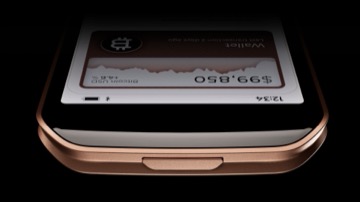
Passport Prime
Ready to move your stack into deep cold storage? Passport Prime is a premium Bitcoin hardware wallet from Foundation. Your private keys stay offline and in your hands, so the Bitcoin you earned is yours to hold and fully under your control.
Secure your satsLightning Faucet may earn a commission if you buy through this link, at no extra cost to you.
The power of Bitcoin
Bitcoin is the first money in history you can truly hold yourself. No bank stands between you and your savings, no one needs to grant permission for you to send it, and no central authority can print more of it or freeze what is yours. Twenty-one million coins, owned by whoever holds the keys.
That is why withdrawing to your own wallet matters. It is not just moving a balance. It is taking real ownership of money that finally answers to you. The sats you earn here are a small start, and they are yours to hold, spend, or grow entirely on your own terms.
Frequently asked questions
How do I withdraw my Bitcoin from Lightning Faucet?
Open the wallet menu, choose Withdraw, enter an amount, and Lightning Faucet generates an LNURL-withdraw QR code. Scan it with any LNURL-compatible Lightning wallet and the sats arrive in seconds.
Is there a minimum withdrawal?
Yes, the minimum withdrawal is 100 sats. A single small deposit is required at least once before your first withdrawal as an anti-abuse measure.
Where should I keep the Bitcoin I withdraw?
Small, active balances are fine in a mobile Lightning wallet you control. As your stack grows, move the long-term portion into cold storage on a hardware wallet so your keys stay offline.
What is self-custody?
Self-custody means you hold the private keys to your Bitcoin yourself instead of trusting an exchange. If you control the keys, no company can freeze, lose, or spend your coins.
Do I need a hardware wallet?
Not to start. A mobile wallet where you control the seed phrase is already self-custody. A hardware wallet is an upgrade worth making once losing the amount would genuinely hurt.