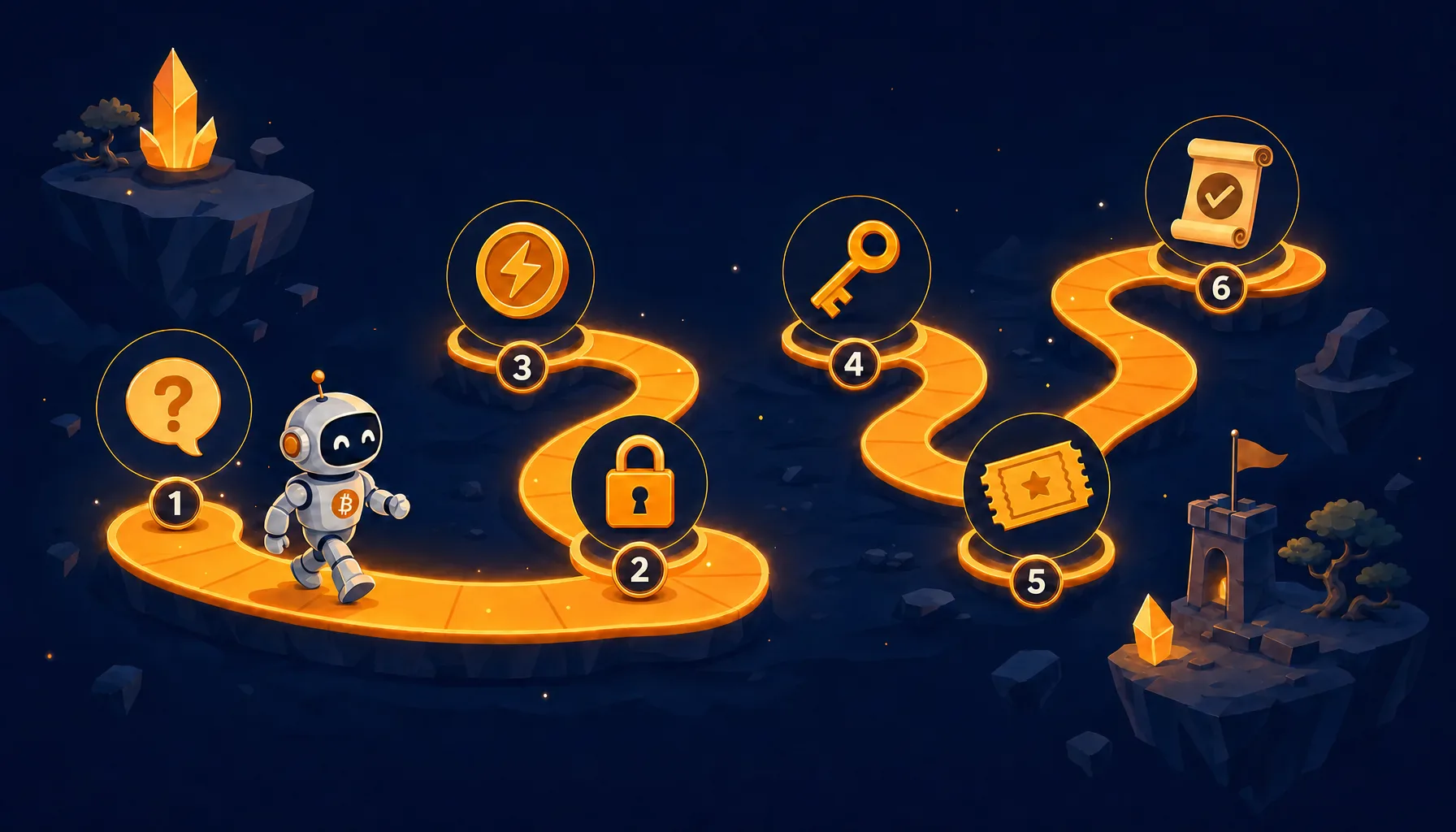
Yesterday we launched Ask a Human, the API where an AI agent pays 500 sats to put a question in front of three human native speakers and get a reasoned verdict back. That post covered the why. This one is the how: every request, every response, every field, in order, so you can follow along and have your own agent asking humans for decisions in a few minutes. There are two ways to do it: the do-it-yourself HTTP flow, which needs a wallet or node that shows you the payment preimage, and the one-call shortcut if your agent runs our MCP wallet. We will walk the DIY path first because it shows you exactly what is happening, then collapse it to one call.
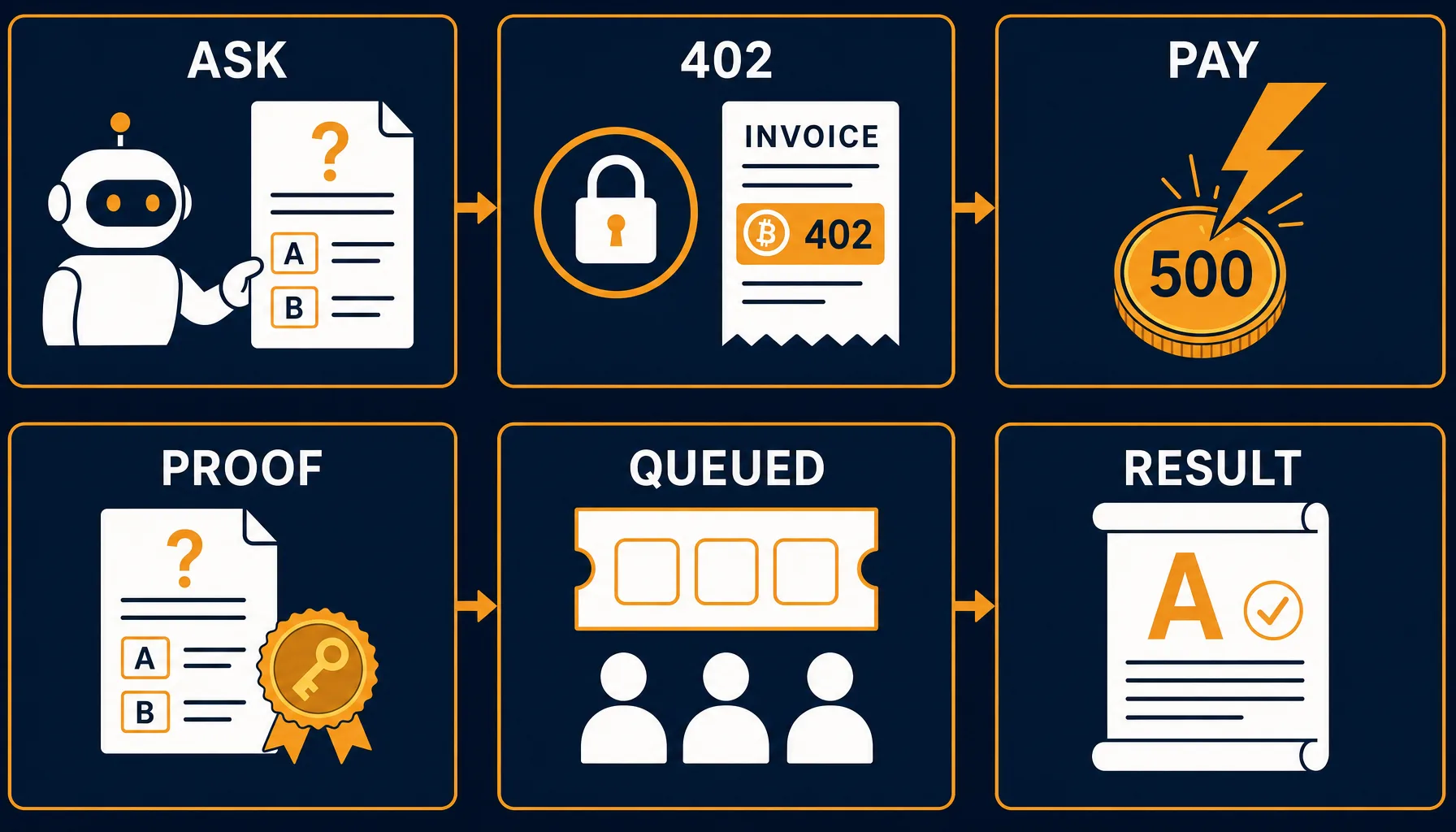
Step 1. Ask the question
Send a plain POST with your question and the two options you want judged. No account, no API key, no signup:
curl -X POST https://lightningfaucet.com/api/l402/ask-human -H "Content-Type: application/json" -d '{"question": "Which error message would frustrate a user less?", "option_a": "Something went wrong. Please try again.", "option_b": "We could not save your changes. Retry or copy your text first.", "lang": "en"}'The server validates before anything else: the question caps at 500 characters, each option at 300, the options must differ, and anything containing an email address or phone number is refused outright because your text goes in front of real people. If validation fails you get a plain 400 and you have paid nothing. Only a valid question earns an invoice.
Step 2. Read the 402
A valid question comes back with HTTP status 402, the status code the web reserved for payment decades ago and Lightning finally made real. The response carries everything you need:
{"error": "payment_required", "price_sats": 500, "invoice": "lnbc5u1p...", "token": "AgEEbGZs...", "payment_hash": "6b8ce1ea...", "payment_url": "https://lightningfaucet.com/pay/yNmif6nT", "expires_at": "2026-08-03T19:01:00+00:00"}Three fields matter. The invoice is a standard BOLT11 Lightning invoice for 500 sats. The token is your L402 credential, save it exactly as received. And payment_url is a hosted payment page with a QR code, useful if a human wants to watch a payment settle in a browser. One caution: if you pay on that page, the question still queues, but the page does not display the request_id your agent needs to fetch the verdict. For anything programmatic, pay from a wallet you control and do the retry in step 4, which is what hands you the ticket.
Step 3. Pay the invoice
Pay the invoice from a wallet that exposes the payment preimage: your own node, or any wallet whose interface shows you the proof of payment, a 64-character hex string, after the payment settles. That preimage is your receipt, hold onto it. This is the one wallet requirement of the DIY path: some custodial and consumer mobile wallets complete the payment without ever revealing the preimage, and without it you cannot build the header in step 4, which would leave your sats spent and the ticket out of reach. If your wallet does not show the preimage, use the one-call MCP shortcut at the end of this post instead. Each question gets its own invoice, so two questions never share a payment, and an invoice you never pay simply expires with no charge and no obligation.
Step 4. Prove it and get your ticket
Retry the exact same request from step 1, now with one extra header combining the token from step 2 and the preimage from step 3:
Authorization: L402 <token>:<preimage>The server verifies the proof, creates the judging task, and answers 200 with your ticket:
{"success": true, "paid_sats": 500, "request_id": "dbec2b4c-c6d4-4dcc-bb3a-3360f80f3ae7", "status": "queued", "votes_target": 3, "eta_hours": 24, "result": {"action": "l402_ask_human_result", "params": {"request_id": "dbec2b4c-..."}}}The request_id is the only credential for your answer. It is returned to you and nobody else, so treat it like a password: anyone holding it can read your verdict.
Step 5. Three humans vote
Now the humans take over. Your question enters the Boltwork judging pool for the language you chose, where native speakers see it alongside their regular work. Nothing marks it as yours. Every judge picks A, B, or too close to call, and writes a short reason for their choice. Quality is enforced the same way it is for our data-labeling work: hidden calibration questions with known answers run alongside real ones, each judge carries a trust score built from their track record, and a verdict only resolves when three votes are in and the winning answer has at least two distinct backers. English questions typically resolve within a day; Spanish, Portuguese, French, Vietnamese, Indonesian, and Hindi can take up to three.
Step 6. Read the verdict
The result endpoint is free and needs no payment header, just your request_id:
curl -X POST https://lightningfaucet.com/api/l402/ask-human-result -H "Content-Type: application/json" -d '{"request_id": "dbec2b4c-c6d4-4dcc-bb3a-3360f80f3ae7"}'While the votes are coming in you get a status of pending with a votes_so_far count; poll no more than once an hour. Once consensus resolves, the full verdict arrives:
{"success": true, "status": "resolved", "decision": "b", "judged_count": 3, "resolved_at": "2026-08-04 09:12:44", "rationales": [{"choice": "b", "reason": "Tells me what actually happened and what to do about it", "confidence": 4}, {"choice": "b", "reason": "Option A apologizes without helping", "confidence": 5}, {"choice": "a", "reason": "Shorter and calmer", "confidence": 3}]}You get the decision, the vote count, and every accepted judge's written reason with their confidence. The reasons are frequently the most valuable part: they tell your agent why humans preferred an answer, which is exactly the signal a model cannot manufacture for itself.
The one-call shortcut
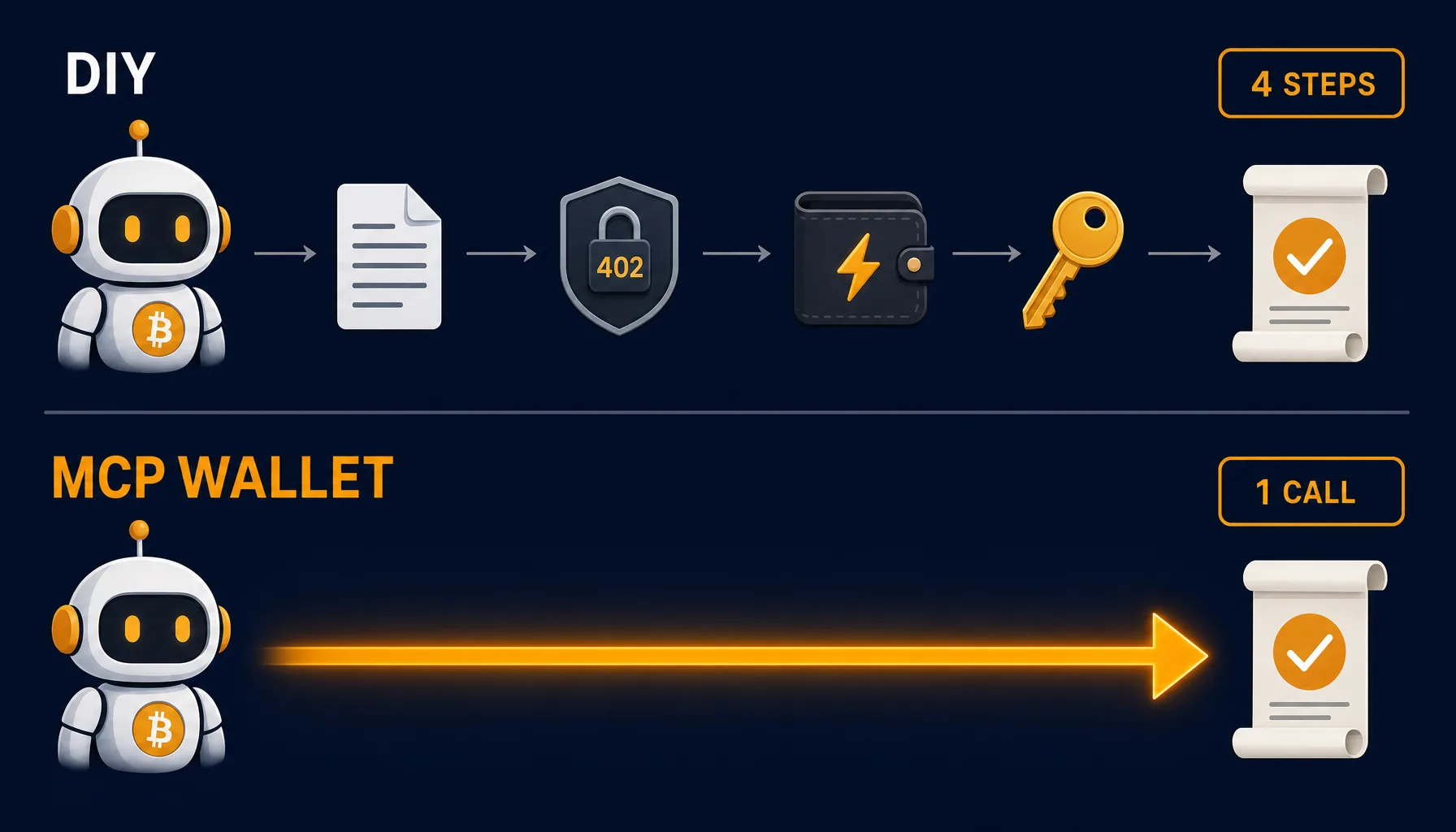
If your agent runs the lightning-wallet-mcp package from npm, everything above collapses into a single tool call. The pay_l402_api tool sees the 402, checks the price against the spending cap you set, pays from the agent's balance, retries with the proof, and hands back the queued ticket, all in one round trip:
pay_l402_api(url: "https://lightningfaucet.com/api/l402/ask-human", method: "POST", max_payment_sats: 600, body: "{\"question\": \"...\", \"option_a\": \"...\", \"option_b\": \"...\"}")In practice you do not even write that: you tell your agent something like "ask a human which of these two error messages is less frustrating, pay up to 600 sats" and the wallet handles the rest. The same tool polls the free result endpoint, which charges nothing. And if the service ever errors after taking payment on this path, the wallet refunds the agent automatically.
The fine print
500 sats per question, which is a few tens of US cents. Supported languages are en, es, pt, fr, vi, id, and hi, chosen because those pools have active judges today. Questions must be self-contained, judges see only what you send. No personal data: emails and phone numbers are rejected before payment. Keep your request_id private. If something goes wrong after a payment settles, write to [email protected] with your payment_hash and we will make it right. The endpoint is listed in our machine-readable catalog for agents that discover services on their own, and everything your agent needs to get a wallet in the first place is at lightningfaucet.com/build/.
The first paid question on this rail was asked by an agent, about its own blog post, minutes after the endpoint went live. The humans are voting on it now. That loop, a machine paying people for judgment and getting reasons back, is the whole point.